Building a website used to require deep coding knowledge, technical skills, and a lot of time. Today, tools like page builders have completely changed that process and made website creation accessible to everyone. If you are a beginner trying to understand modern web design, this guide will help you get started easily.
What Are Page Builders? A Complete Beginner’s Guide explains how these tools simplify website creation using drag-and-drop features, pre-built layouts, and visual editing systems. Instead of writing code, users can design pages in real time and instantly see results. This shift has empowered bloggers, small businesses, and entrepreneurs to build professional websites without hiring developers or learning programming languages.
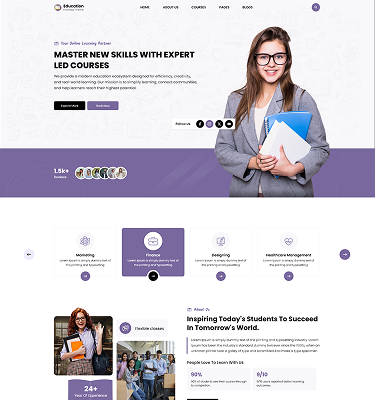
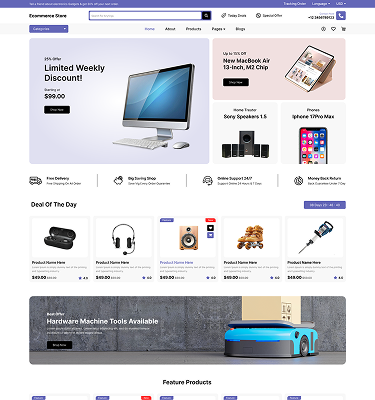
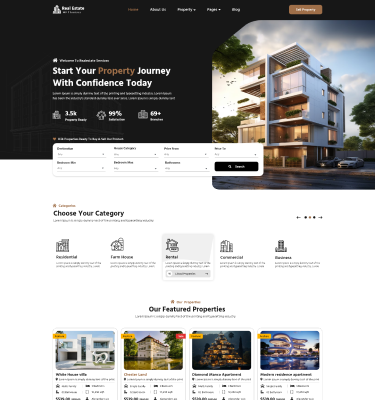
If you want even more design flexibility and pre-built layouts, you can explore Elementor WordPress Themes that are specifically optimized to work seamlessly with popular page builders like Elementor for faster and more professional website creation.
What Is a Page Builder?
A page builder is a tool that allows users to design and customize websites visually without coding. It works by offering drag-and-drop elements such as text blocks, images, buttons, and sections that can be placed anywhere on a page. This makes website creation faster and more intuitive for beginners.
What Are Page Builders? A Complete Beginner’s Guide helps explain how these tools eliminate the complexity of traditional web development. Instead of editing HTML or CSS files, users can simply click and design. Page builders are commonly used in platforms like WordPress, where they integrate seamlessly with themes and plugins. They are ideal for users who want full control over design without technical barriers.
With page builders, anyone can create landing pages, blogs, and business websites with ease, making them a core part of modern web design.
How Page Builders Work
Page builders work through a visual interface that allows users to build web pages in real time. They typically include a library of widgets or modules like headings, images, sliders, and forms. Users drag these elements onto a canvas and arrange them as needed. Changes appear instantly, which makes the design process highly interactive.
What Are Page Builders? A Complete Beginner’s Guide highlights how this system replaces traditional coding with a simple visual workflow. Most page builders operate on a WYSIWYG (What You See Is What You Get) model, meaning the editing screen looks almost identical to the final webpage.
Behind the scenes, the builder automatically generates code while the user focuses only on design. This balance of simplicity and functionality is what makes page builders so popular among beginners and professionals alike.
Types of Page Builders
There are several types of page builders available, each designed for different platforms and user needs. The most common are WordPress page builders like Elementor, WPBakery, and Beaver Builder. These tools integrate directly into WordPress websites and allow deep customization.
What Are Page Builders? A Complete Beginner’s Guide explains that another category includes hosted website builders like Wix and Squarespace. These platforms provide everything in one place, including hosting and design tools.
There are also theme-based builders that come bundled with premium WordPress themes, offering pre-designed layouts and customization options. Each type has its advantages depending on whether you want flexibility, simplicity, or full control over your website.
Key Features of Page Builders
- Drag-and-Drop Editing: Page builders allow users to design websites by simply dragging and dropping elements like text, images, and buttons. This eliminates the need for coding skills and makes website creation faster and more intuitive.
- Pre-Built Templates: Most page builders come with ready-made templates for pages such as home, about, and landing pages. These templates help users quickly build professional-looking websites by customizing existing layouts instead of starting from scratch.
- Responsive Design Controls: Page builders let users adjust how a website looks on desktop, tablet, and mobile devices. This ensures that the site remains visually appealing and fully functional across all screen sizes.
- Custom Widgets and Modules: Users get access to a variety of elements like sliders, forms, galleries, and pricing tables. These modules can be easily added to pages to enhance functionality and improve user experience.
- Live Front-End Editing: Changes made in the page builder are visible in real time on the front end of the website. This allows users to instantly preview and fine-tune their design without switching between editor and preview modes.
- Theme Compatibility: Page builders are designed to work with most WordPress themes without conflicts. This gives users flexibility to choose any theme while still customizing layouts extensively.
- Advanced Styling Options: Users can control fonts, colors, spacing, borders, and animations without writing CSS. This helps in creating a unique brand identity with complete visual control.
- Reusable Design Blocks: Frequently used sections or layouts can be saved and reused across different pages. This saves time and ensures design consistency throughout the website.
Benefits of Using Page Builders
- No Coding Required: Page builders allow users to create and design websites without any knowledge of HTML, CSS, or JavaScript. This makes website development accessible to beginners and business owners.
- Faster Website Development: Pre-designed elements and drag-and-drop tools significantly reduce the time needed to build a website. Users can launch professional sites in hours instead of days or weeks.
- Easy Customization: Users can easily modify layouts, colors, fonts, and sections without technical limitations. This flexibility helps create a unique website that matches brand identity.
- Cost-Effective Solution: Page builders reduce the need to hire professional developers for every small change. This helps businesses save money on design and maintenance.
- Real-Time Editing Preview: Changes are visible instantly, allowing users to fine-tune their design while working. This eliminates guesswork and improves design accuracy.
- Mobile-Friendly Design: Most page builders ensure responsive layouts that automatically adjust to different screen sizes. This improves user experience across mobile, tablet, and desktop devices.
- Wide Range of Design Elements: Tools like Elementor and WPBakery Page Builder offer widgets, modules, and templates for advanced design possibilities. These features help create highly functional and visually rich websites.
- Better Control Over Layouts: Users can freely structure pages without being restricted by theme limitations. This gives complete creative control over page structure and design flow.
- Reusable Components: Sections and layouts can be saved and reused across multiple pages. This ensures consistency and saves significant design time.
- SEO-Friendly Structure: Many page builders generate clean code that supports SEO best practices. This helps websites rank better on search engines when combined with proper optimization.
Limitations of Page Builders
While page builders are powerful, they do come with some limitations. One common issue is performance. Websites built with heavy page builders may load slower due to extra code and features.
What Are Page Builders? A Complete Beginner’s Guide also points out that users may experience limited control compared to custom-coded websites. Advanced developers sometimes find restrictions when trying to implement complex functionality.
Another limitation is dependency. If a user switches plugins or platforms, redesigning the site can become difficult. Some page builders also generate bloated code, which may affect SEO performance if not optimized properly. Despite these drawbacks, they remain highly useful for most beginners and small businesses.
Who Should Use Page Builders?
Page builders are designed for users who want to create websites without technical skills. Beginners are the primary audience because they can build pages without learning programming languages.
What Are Page Builders? A Complete Beginner’s Guide explains that small business owners also benefit greatly, as they can quickly build websites for marketing and sales. Freelancers and digital marketers use page builders to create landing pages and client projects efficiently.
Bloggers and content creators also rely on them to design visually appealing websites without hiring developers. Essentially, anyone who wants control over design but lacks coding experience can benefit from using page builders.
Popular Page Builders Compared
| Page Builder | Ease of Use | Key Features | Performance | Pricing Model |
|---|---|---|---|---|
| Elementor | Very Easy | Drag-and-drop editor, theme builder, popup builder, large widget library | Good (can be heavy with addons) | Freemium + Pro subscription |
| WPBakery Page Builder | Moderate | Backend & frontend editing, many add-ons, shortcode-based system | Average (can slow sites) | Premium (one-time + addons) |
| Divi Builder | Easy | Visual editing, global elements, split testing, large design library | Good (optimized but heavy features) | Subscription (yearly/lifetime) |
| Beaver Builder | Very Easy | Clean UI, stable performance, developer-friendly, reusable modules | Excellent (lightweight) | Freemium + paid plans |
| Brizy | Very Easy | Modern UI, visual editing, cloud features, pre-made blocks | Good | Freemium + Pro subscription |
| Oxygen Builder | Advanced | Full site customization, developer control, no theme dependency | Excellent (very lightweight) | One-time payment |
How to Choose the Right Page Builder
Choosing the right page builder depends on several factors. Ease of use is the most important consideration for beginners. A simple interface helps users learn faster and build websites more efficiently.
What Are Page Builders? A Complete Beginner’s Guide explains that pricing is another key factor, as some tools are free while others require subscriptions. Users should also check feature availability, such as templates, widgets, and responsiveness controls.
Compatibility with WordPress themes and plugins is important for smooth performance. Long-term scalability should also be considered so the website can grow without limitations. Evaluating these factors helps users make the best decision.
Tips for Using Page Builders Effectively
To get the best results from page builders, users should follow some important tips. Keeping designs simple helps improve user experience and website speed. Avoid overloading pages with too many elements or animations.
What Are Page Builders? A Complete Beginner’s Guide emphasizes the importance of optimizing images and maintaining consistent branding across all pages. Users should also minimize unnecessary plugins to improve performance.
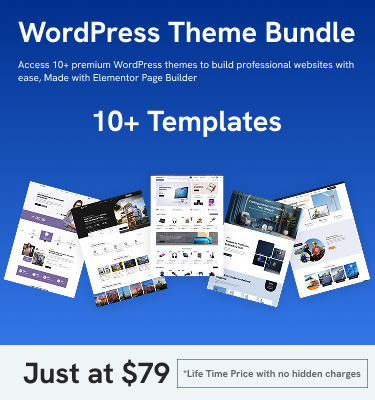
Before moving to the conclusion, it is worth exploring a WordPress theme Bundle, which often includes multiple premium themes designed to work seamlessly with page builders. This helps users expand their design options and build more professional websites without extra cost.
Conclusion
Page builders have revolutionized how to secure your WordPress website are created, making the process simple, visual, and accessible. They eliminate the need for coding and empower users to design professional websites with ease.
What Are Page Builders? A Complete Beginner’s Guide shows that these tools are suitable for beginners, businesses, and creators who want full control over design without technical barriers. While they have some limitations, their benefits far outweigh the drawbacks for most users.
As web design continues to evolve, page builders will remain a key part of the ecosystem. They bridge the gap between creativity and technology, allowing anyone to build modern, responsive websites efficiently and confidently.